Site DOES work with WWW and DOES NOT work without WWW

Status
Not open for further replies.

adamparkzer

On Extended Leave
Messages
3,745
Reaction score
81
Points
0
I visited both links, and it appears to me that both links are working fine - I get the same "Welcome to the Frontpage" home screen on both sites. Maybe this is an issue with your temporary internet files? Clear your cache and try loading both sites again.
 

jasperwm

New Member
Messages
2
Reaction score
0
Points
0
Tried clearing everything, man. Ain't working. This is painful. LOL. Help me out.
 

adamparkzer

On Extended Leave
Messages
3,745
Reaction score
81
Points
0
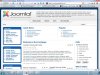
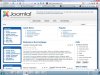
I don't really know what to tell you. I attached screenshots of the two sites, one with the WWW, and one without, so you can have proof that it does, in fact, work.

As for you being able to access it, did you try it with a different browser? If it works on a different browser, you might want to delete all temporary files, including cookies and history, on the browser that it doesn't work on.
 

Attachments

  • withWWW.JPG
    withWWW.JPG
    156 KB · Views: 129
  • withoutWWW.JPG
    withoutWWW.JPG
    147.8 KB · Views: 151

shawnp

New Member
Messages
1
Reaction score
0
Points
0
I am having similar troubles. I have a .org and a .com, however i changed the x10 host account to .org and had godaddy forward .com to .org, but i get to my site by going to www. org, http . org, http . com but not www. com
ill post back if i come across the answer through trial and error or through googling.
 
Last edited:

adamparkzer

On Extended Leave
Messages
3,745
Reaction score
81
Points
0
I am having similar troubles. I have a .org and a .com, however i changed the x10 host account to .org and had godaddy forward .com to .org, but i get to my site by going to www. org, http . org, http . com but not www. com
I had a similar issue to this with a different web host. Before I came to x10Hosting, I used a different web provider. I visited the URL of the subdomain that the web provider gave me to add my files to, but at the time that I initially visited it, I was forwarded to a 404 Error page because my Index page didn't exist yet. When I did make my index page, I revisited my page, but I was still redirected to the 404 Error page.

I later found out that I was forwarded to the 404 Error page because my web browser stored a cache version of my nonexistent web page, and when I went to visit my URL, it automatically loaded the cache version with the forwarding code instead of downloading a newer version. I couldn't refresh the page because by the time I hit F5, the page had already been forwarded to the 404 Error page.

I don't know why your site still isn't working, even after clearing your cache, but I can tell you that from my computer, I can see both versions of your site, with and without the WWW.
 
Status
Not open for further replies.
Top
