Shifting to a new domain

Status
Not open for further replies.

zen-r

Active Member
Messages
1,937
Reaction score
3
Points
38
Strange. I still get the "Connection was Refused" message whenever I try to go to your tutorial site Garrett.

I had the same message when I tried it on the previous occasions that you posted that link in these forums.

Maybe it's my firewall. It's never done it with any other site, though. :dunno:
 

garrettroyce

Community Support
Community Support
Messages
5,609
Reaction score
252
Points
63
Thanks for letting me know. It's hosted by X10, so I don't know why it would be blocked. I'll try to figure it out.
 

zen-r

Active Member
Messages
1,937
Reaction score
3
Points
38
It doesn't seem to be blocked for everyone.

Last time I mentioned it ; http://forums.x10hosting.com/free-hosting/98727-domain-help.html#post551213 zubair12 showed that he could access it.

Maybe it's just me!

"Failed to Connect

The connection was refused when attempting to contact unset-this.co.cc.

Though the site seems valid, the browser was unable to establish a connection.

* Could the site be temporarily unavailable? Try again later.

* Are you unable to browse other sites? Check the computer's network connection.

* Is your computer or network protected by a firewall or proxy? Incorrect settings can interfere with Web browsing."
 
Last edited:

zubair12

Banned
Messages
631
Reaction score
0
Points
0
Its working for me now also.... lol


I had set up my wordpress blog on www.wordpress.x10hosting.com/t3ch

So, all my posts had the following link : www.wordpress.x10hosting.com/t3ch/*** (Post name)

Now, I just purchased a domain techaddicts.in and want to shift my blog there.

I need all my posts in this manner : www.techaddicts.in/***

Can someone tell me how to change the domain name?

I would be helpful to you'll.

First of all don`t change your main domain.

Follow the following steps:
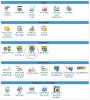
1. Go to cpanel http://[server].x10hosting.com:2082 where [server] is your server.
2. Click on parked domain.
3. write your domain in the field and click add.
4. at your domain registar change the name servers to
ns1.x10hosting.com
ns2.x10hosting.com
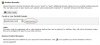
5. Go to wordpress admin. www.wordpress.x10hosting.com/t3ch/wp-admin
6. change the following setting shows in attachments.

If you having problem of setup this. I can do this for you. PM me your all info
wait if attachments not there i am making
 

Attachments

  • step1.JPG
    step1.JPG
    27 KB · Views: 18
  • step2.JPG
    step2.JPG
    59.5 KB · Views: 19
  • step3.JPG
    step3.JPG
    37.1 KB · Views: 17
Last edited:
Status
Not open for further replies.
Top