How to activate php

HanBrouwer

New Member
Messages
10
Reaction score
0
Points
1
I started a free site on x10, made a small database, made a little html file and go to it in the browser the html is perfect. I have set php to version 8... but I see that it is 7..... When i add a small php line like
<?php echo "Het werkt"; ?>
in the body of my html, I can see in the browser only the html part. When I make a php-file with the same line, I do not see it in the browser. When I make a php-file with acces to the database, I get an http error 500. I think that php is not activated. How do I activate it?
 

mrburnsx

Community Advocate
Community Support
Messages
1,097
Reaction score
88
Points
48
PHP is already active, the filename has to end with .php

Error 500 is more indicative of something in your script being incorrect, the error log would shed light on that.
 

HanBrouwer

New Member
Messages
10
Reaction score
0
Points
1
PHP is already active, the filename has to end with .php

Error 500 is more indicative of something in your script being incorrect, the error log would shed light on that.
I don't know where to look. Is it in this file?
74.7.244.62 - - [14/Mar/2026:04:17:51 -0400] "GET /robots.txt HTTP/2" 404 245 "-" "Mozilla/5.0 (Macintosh; Intel Mac OS X 10_15_7) AppleWebKit/537.36 (KHTML, like Gecko) Chrome/131.0.0.0 Safari/537.36; compatible; OAI-SearchBot/1.3; robots.txt; +https://openai.com/searchbot"
84.85.109.81 - - [14/Mar/2026:08:44:02 -0400] "GET / HTTP/3" 304 0 "-" "Mozilla/5.0 (Windows NT 10.0; Win64; x64) AppleWebKit/537.36 (KHTML, like Gecko) Chrome/145.0.0.0 Safari/537.36 Edg/145.0.0.0"
84.85.109.81 - - [14/Mar/2026:08:44:02 -0400] "GET /favicon.ico HTTP/3" 404 248 "https://hanbrouwers.x10.network/" "Mozilla/5.0 (Windows NT 10.0; Win64; x64) AppleWebKit/537.36 (KHTML, like Gecko) Chrome/145.0.0.0 Safari/537.36 Edg/145.0.0.0"
84.85.109.81 - - [14/Mar/2026:09:12:28 -0400] "GET /htmltest.html HTTP/3" 304 0 "-" "Mozilla/5.0 (Windows NT 10.0; Win64; x64) AppleWebKit/537.36 (KHTML, like Gecko) Chrome/145.0.0.0 Safari/537.36 Edg/145.0.0.0"
83.233.146.39 - - [14/Mar/2026:17:38:03 -0400] "GET / HTTP/2" 200 769 "https://x10hosting.com/" "Mozilla/5.0 (Windows NT 10.0; Win64; x64) AppleWebKit/537.36 (KHTML, like Gecko) Chrome/145.0.0.0 Safari/537.36"

83.233.146.39 - - [14/Mar/2026:17:38:03 -0400] "GET /images/huis.png HTTP/2" 200 931080 "https://hanbrouwers.x10.network/" "Mozilla/5.0 (Windows NT 10.0; Win64; x64) AppleWebKit/537.36 (KHTML, like Gecko) Chrome/145.0.0.0 Safari/537.36"
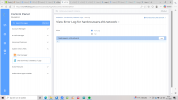
83.233.146.39 - - [14/Mar/2026:17:38:04 -0400] "GET /favicon.ico HTTP/3" 404 248 "https://hanbrouwers.x10.network/" "Mozilla/5.0 (Windows NT 10.0; Win64; x64) AppleWebKit/537.36 (KHTML, like Gecko) Chrome/145.0.0.0 Safari/537.36"
83.233.146.39 - - [14/Mar/2026:17:39:44 -0400] "GET /gedicht.php HTTP/3" 500 0 "-" "Mozilla/5.0 (Windows NT 10.0; Win64; x64) AppleWebKit/537.36 (KHTML, like Gecko) Chrome/145.0.0.0 Safari/537.36"
 

mrburnsx

Community Advocate
Community Support
Messages
1,097
Reaction score
88
Points
48
This is not an error log, it is a usage log. Before going to usage log, there are 2 options, usage log, and error log. You’d want to look at the error log.
 

HanBrouwer

New Member
Messages
10
Reaction score
0
Points
1
This is not an error log, it is a usage log. Before going to usage log, there are 2 options, usage log, and error log. You’d want to look at the error log.
I can't find any error log. I see only a few Mar-2026.tar.gz files that I can't open.
<? php echo "It works"; ?> should give an output in the browser when I put it in a php-file, isn't it?
 

mrburnsx

Community Advocate
Community Support
Messages
1,097
Reaction score
88
Points
48
Error log can be located in hosting control panel.

System Info & Files > Site Summary / Statistics / Logs > Error Log
 

mrburnsx

Community Advocate
Community Support
Messages
1,097
Reaction score
88
Points
48
Have you tried accessing the PHP file prior to loading the error log? That file needs to be accessed in recent time for it to be a logged error on that.
 

HanBrouwer

New Member
Messages
10
Reaction score
0
Points
1
Have you tried accessing the PHP file prior to loading the error log? That file needs to be accessed in recent time for it to be a logged error on that.
I have opened in the browser an html-file with a small php-script (returns only html and no php text), a php-file with a simple script (nothing returns) and a php-file to open the data base (returns a http error 500). Still no error data in the error file.
 

mrburnsx

Community Advocate
Community Support
Messages
1,097
Reaction score
88
Points
48
The HTML file will not process any PHP.

Please verify in hosting control panel: Account Manager > Domain Setup > click on your domain > PHP Access that the box is checked
 

HanBrouwer

New Member
Messages
10
Reaction score
0
Points
1
The HTML file will not process any PHP.

Please verify in hosting control panel: Account Manager > Domain Setup > click on your domain > PHP Access that the box is checked
That HTML wille not process PHP is not true. This should return Hello World!:
<!DOCTYPE html>
<html>
<body>

<h1>My first PHP page</h1>

<?php
echo 'Hello World!';
?>

</body>
</html>

And I checked the the PHP Access box and it is checked.
 

mrburnsx

Community Advocate
Community Support
Messages
1,097
Reaction score
88
Points
48
No it will not return Hello World, by default. By any webserver's default configuration PHP code can only be executed in PHP, that default configuration will not be changed. Towards the PHP that is connecting to database, have you verified that the mysqli extension is enabled in Extra Features > Select PHP Version?

Also in Select PHP Version > Options, try checking the box for display_errors and setting error_reporting to E_ALL
 

HanBrouwer

New Member
Messages
10
Reaction score
0
Points
1
No it will not return Hello World, by default. By any webserver's default configuration PHP code can only be executed in PHP, that default configuration will not be changed. Towards the PHP that is connecting to database, have you verified that the mysqli extension is enabled in Extra Features > Select PHP Version?

Also in Select PHP Version > Options, try checking the box for display_errors and setting error_reporting to E_ALL
I have now selected mysqli (witch gives a conflict whit nd-mysqli) and changed display-errors to E_ALL but there are no changes. Still no PHP in the browser.
 

HanBrouwer

New Member
Messages
10
Reaction score
0
Points
1
Ah, I have found a part of the problem. I added a space between <? and php..............?>. This part is working now. Now I had to solve the connection to the database.
I have:
$servername = 'localhost'; //or should this be something with x13?
$username = 'the username of my database;
$password = 'my password of the database';
$dbname = 'the username of my database_the name of my database';
Any help would be appreciated.
 

Anna

I am just me
Staff member
Messages
11,793
Reaction score
598
Points
113
Is the username entered as a user for that database with proper privileges?
Under databases, when you click manage for the specific database you can check that the username matches (exact match is important) and what privileges that user have, often full access is used.
User(s) would be listed in the section "User Access"
 

HanBrouwer

New Member
Messages
10
Reaction score
0
Points
1
Is the username entered as a user for that database with proper privileges?
Under databases, when you click manage for the specific database you can check that the username matches (exact match is important) and what privileges that user have, often full access is used.
User(s) would be listed in the section "User Access"
Thank you very much. I have now a connection with the database. I didn't mention that I had to make an other password for the database as well. I used the password that is only for access to x13.
 

HanBrouwer

New Member
Messages
10
Reaction score
0
Points
1
Ah, and I solved the problem with php-code in html. When I learned all this stuff (yes I'm that old), it was possible to add php inside a html but in modern systems you had to make a php-file ( with the extension php) and write html-code in that file. In that way you can add php-code inside the html-document.
 
Top